Children spend 15 to 20 minutes a day learning, with pencil and paper, away from screens
Small daily habits go a long way. A daily curriculum-matched Maths and English sheet—done with a pencil at the kitchen table, marked by photo, and tailored to what your child is still learning. Track their regular progress and achievements along the way.
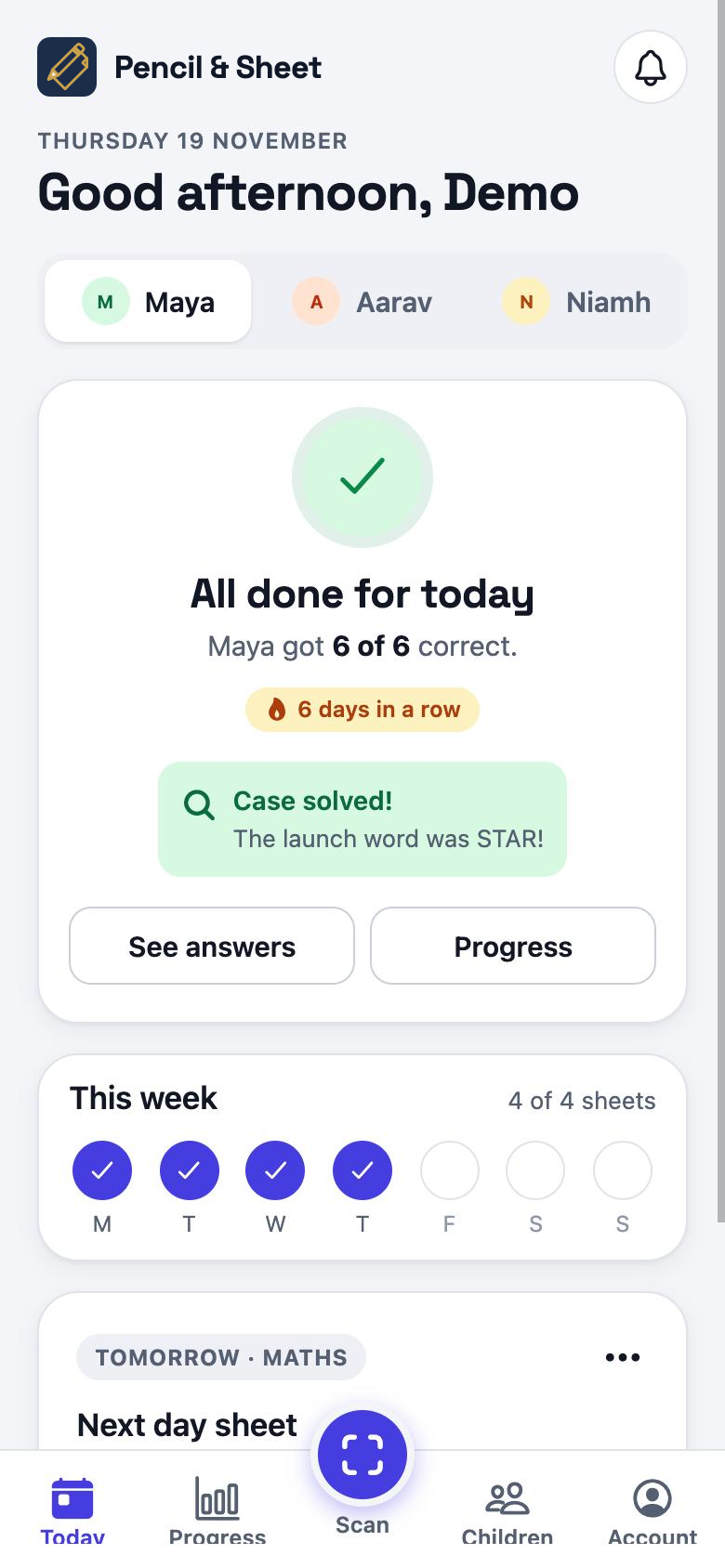
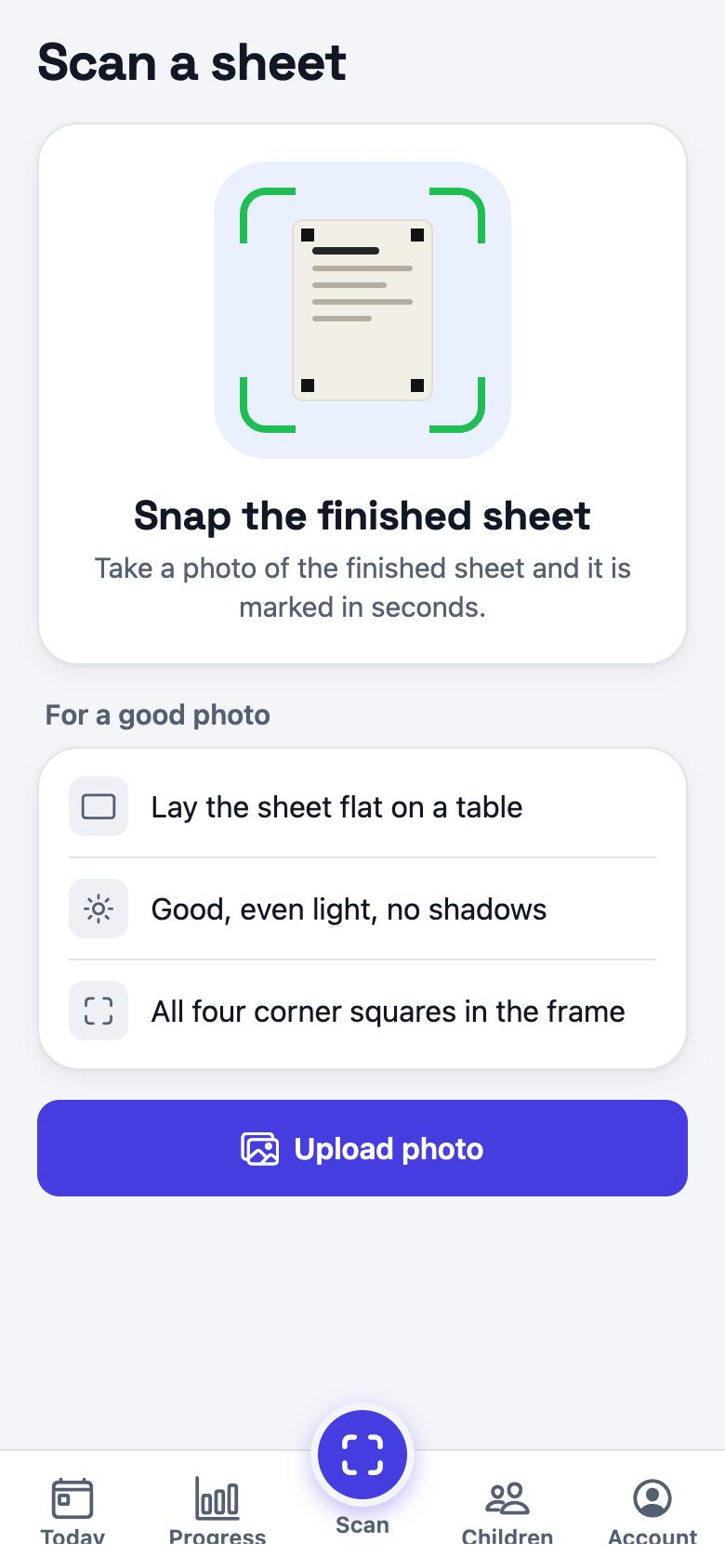
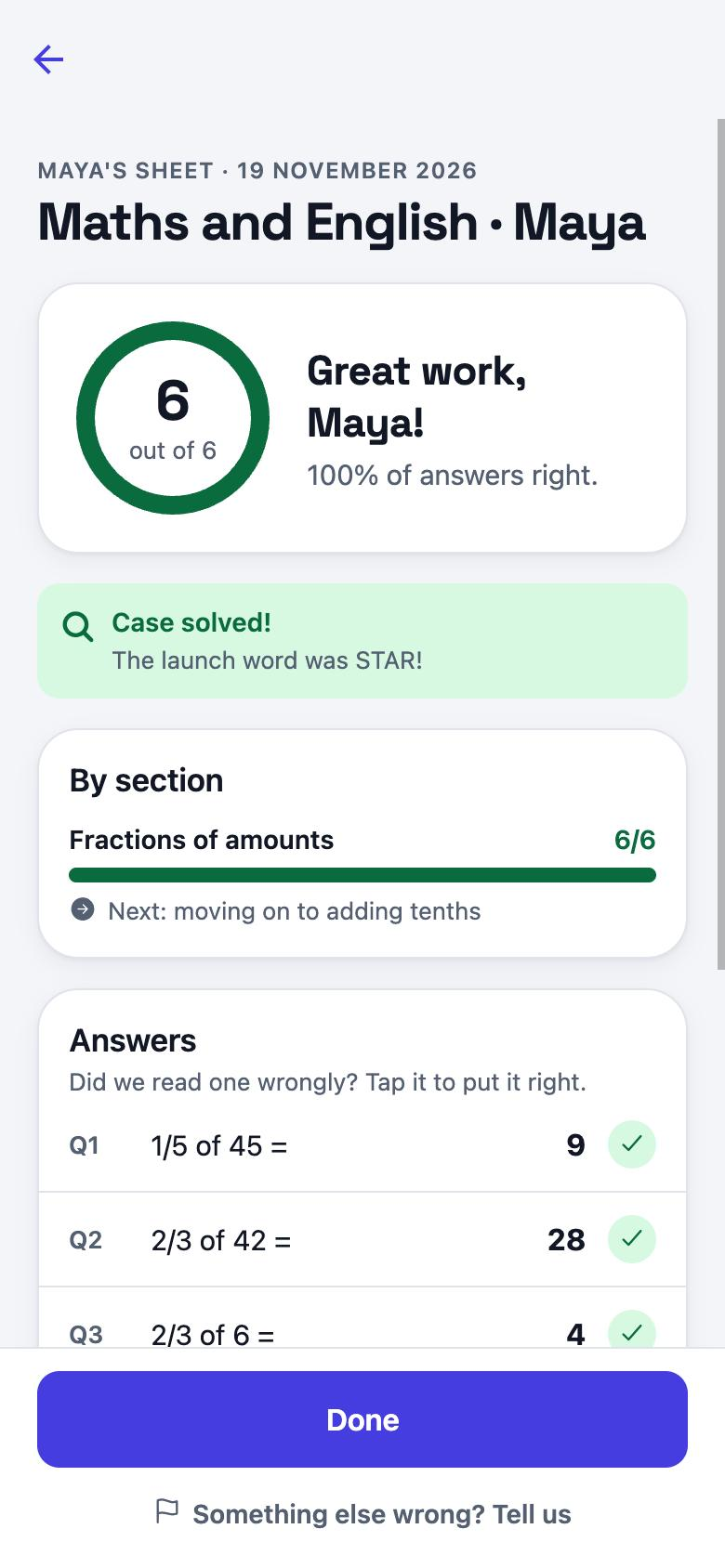
 The Pencil & Sheet app
The magic happens here
Print today's sheet, snap the finished page, and see it marked in under a minute. Then the app builds tomorrow's sheet around exactly what your child is still learning.
Coming soon
For Android phones and iPhones. Can't wait? Print a sample sheet today.
Less screen. More thinking.
A short daily sheet gives your child a break from screens and a learning habit that builds week after week.
Time away from screens
- Screens fill more of children's day than ever: tablets, TV, games, and now homework too.
- Too much screen time is linked to poorer sleep, shorter attention and less active play. Health experts advise keeping it in check where you can.
- Writing by hand slows children down, so they think each answer through and remember it better.
- The phone stays with you. Your child only ever needs a pencil and the kitchen table.
A daily habit that adds up
- Little and often beats a long session once a week. Regular practice is how new skills stick.
- Every sheet brings back earlier skills, so your child keeps recalling what they know and their brain stays switched on to learning.
- A set time, after breakfast or before tea, soon becomes routine, with less negotiating.
- Small wins every day build focus, confidence and a sense that they can do it.
Kitchen table, not a screen
The practice happens on paper. The phone is for you: printing, the photo, and seeing how it went.
- Print today's sheetOne A4 page, built for your child's school year and for what they are learning right now. Black and white is fine.
- Pencil and paper, at the kitchen table15 to 20 minutes: a maths block, an English block, and a mystery to solve with the answers. Your child never needs the phone.
- Take a photoThe app reads every answer and marks it in under a minute. If it can't be sure what your child wrote, it asks you rather than guessing.
- Track their progressSee how every sheet went the day it's done: what's going well, what needs a hand, and the badges they earn along the way.
- Next sheet tailored to your childSkills they are still learning come round more often. Skills they have got the hang of come back now and then, so they stick.
Marked from a photo, question by question
Every answer is read from the page in your child's own handwriting and checked against the one right answer. You see what they wrote, what was expected, and what happens next.
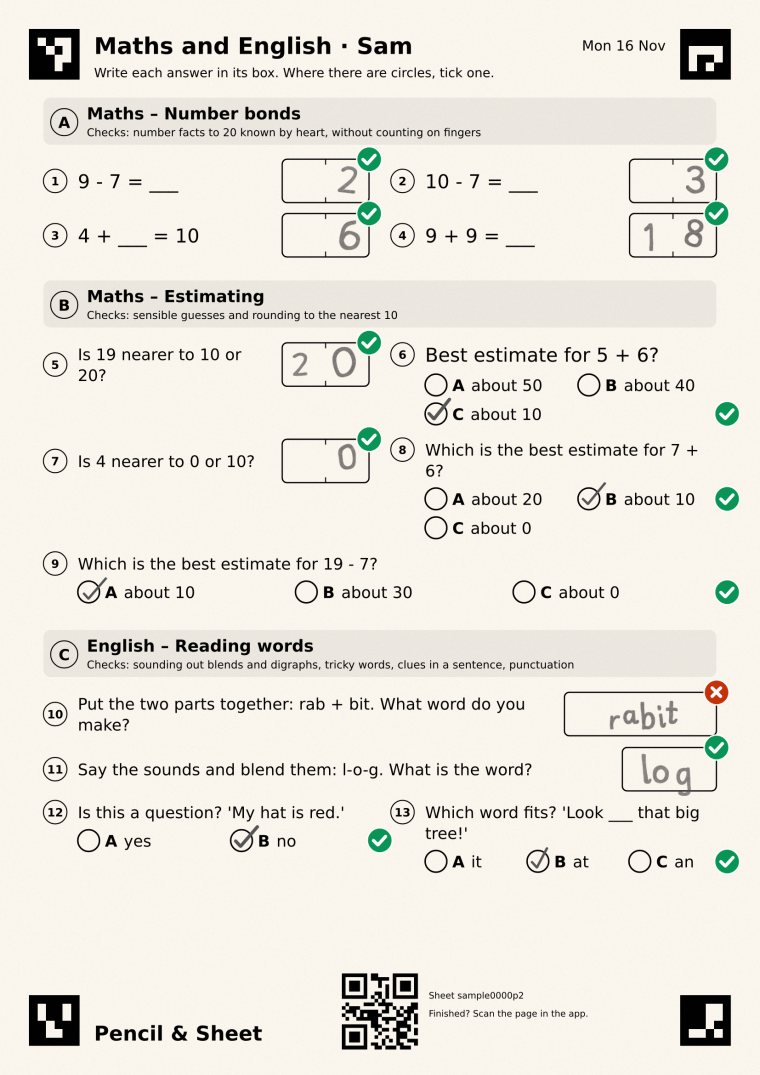
Question 10: put the two parts together, rab + bit
- Written
- rabit
- Answer
- rabbit
- Result
- ✗Not yet
Both parts heard, one b lost in the join. Blending comes back on the next sheets with a different word, until it sticks.
- Right
- Counts towards the skill. Three strong sheets in a row and the questions get a step harder.
- Not yet
- That skill comes back sooner, at the same level, with a different question.
- Not sure what they wrote
- The app shows you the box and asks. It never marks a guess.
See their progress every day, in plain words
You see the result of every sheet the day it is done, and a full report whenever you want it: what is going well, and where they need a hand. Never a league table, never a comparison with other children.
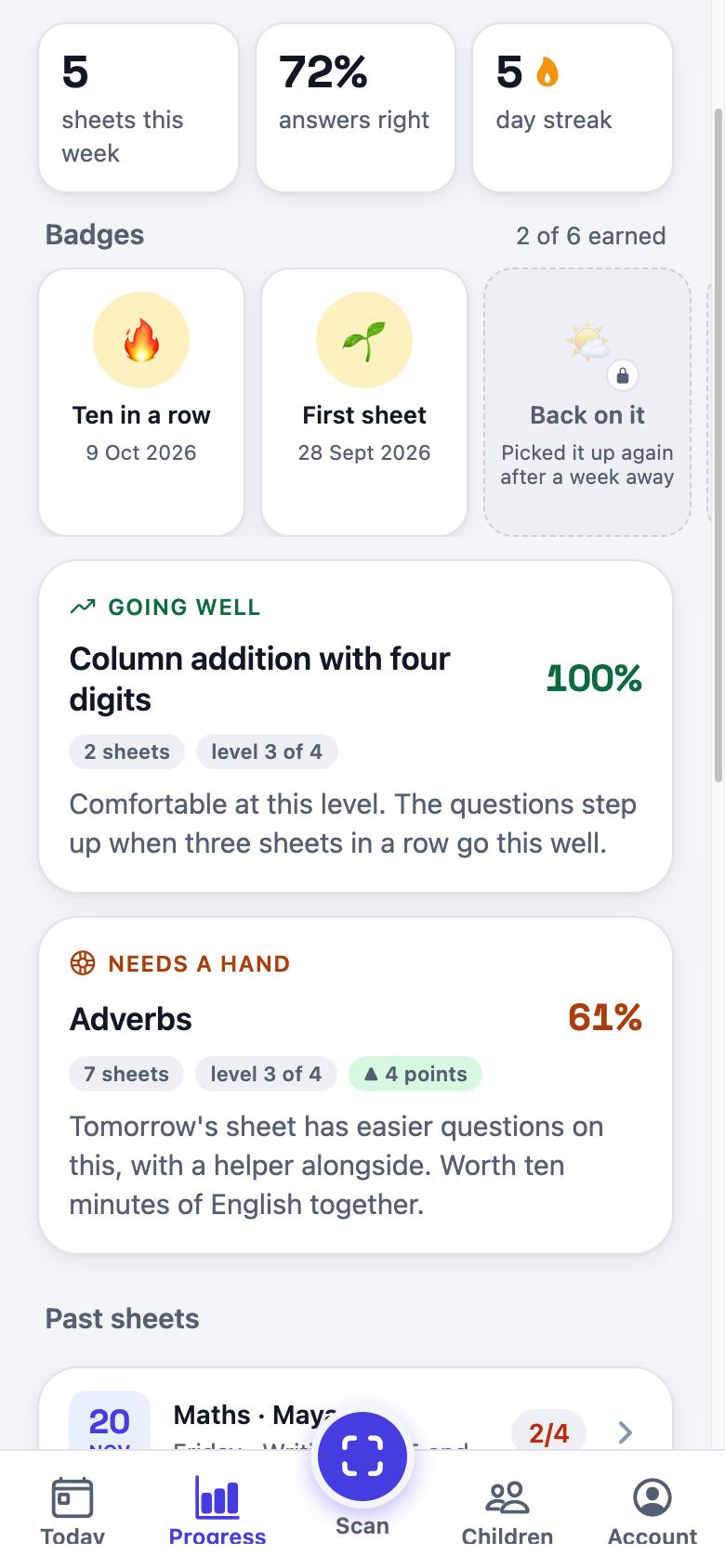
- A detailed report on every outcome their class is taught this year
- Secure, getting there, needs practice, or just started. The words are from the Curriculum for Excellence, without the codes.
- How hard the questions are, and why
- From extra support to stretching, always relative to their own school year. The app tells you the reason it last changed.
- Certificates to celebrate along the way
- First sheet, ten right in a row, a full week. Each badge comes with a certificate to print and put on the fridge, so effort feels like an achievement.
Signed up already? Sign in to see a child's progress on a bigger screen.
Made for their class, not for "age 7"
Every question is written for a Scottish school year and linked to the Curriculum for Excellence experiences and outcomes for that year. A struggling P3 child gets easier P3 questions, never P1 ones.
Follows the child, day by day
Move on after two strong sheets, stay a while in the middle, get help when a skill slips below 60%. The level moves on evidence, not on one bad morning.
Never stuck on one thing
A child scoring two thirds every day is never "finished" and never "failing". After six sheets on one skill they move on, and it comes back later as revision.
Stopping early is not failing
Every score is out of the questions they reached. Five of five right and four left blank is a short day at 100%, not a bad one at 56%.
The power of a personal tutor, in your pocket
A good tutoring centre finds your child's level, sets work just for them, marks it and moves them on. Pencil & Sheet does the same every school day, from your phone, at your own kitchen table. No journeys, no fixed sessions.
- Finds their levelfrom each sheet they do
- Work just for thema new sheet every day
- Marked for youfrom one photo
- Moves them onwhen the evidence says so
- Curriculum for Excellence, P1 to P7
- Balanced, more maths or more English
- Handwriting and drawing sheets on request, P1 to P4
- Two parents can share a child
Private by design
You use the app. Your child uses a sheet of paper. We keep as little as we can, for as short a time as we can.
No account for your child
We ask for a first name and a school year. Never a date of birth, surname, school or a photo of them.
Photos don't linger
A photo of a finished sheet is deleted automatically after 90 days. You can delete any of it sooner.
No adverts, no selling data
Nobody may use your child's work to train AI. You can download or delete everything from the app at any time.
Read the full privacy policy. Worried about a child? Read our safeguarding page.
Swipe to your child's year, then print
Every year's first-day sheet, exactly as it prints. In Scotland, Primary 1 is the first year of school.
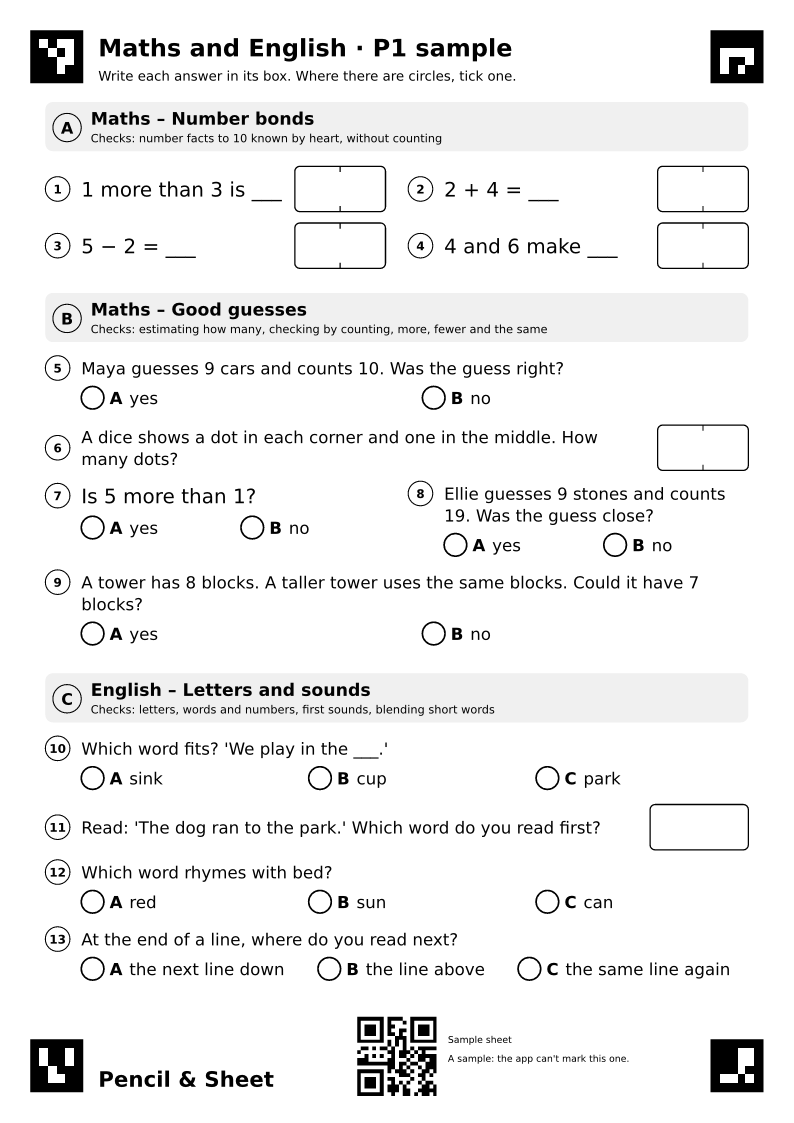 Primary 1 · ages 4 to 6
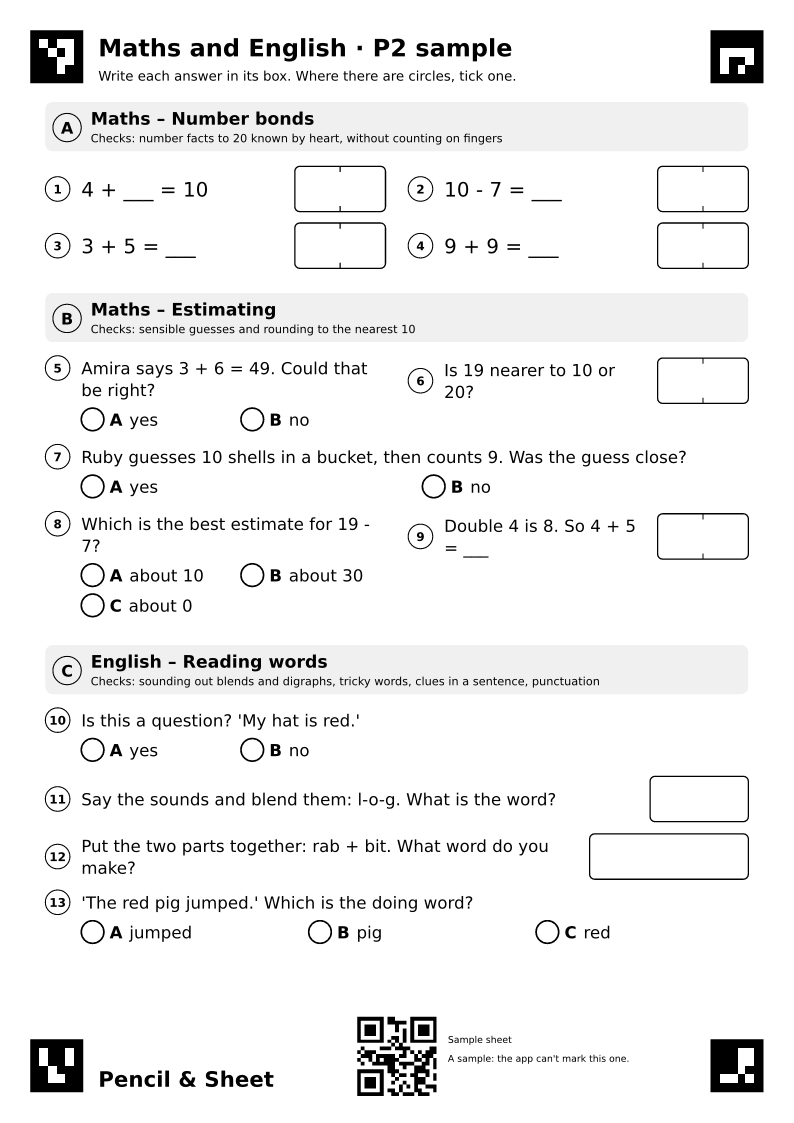 Primary 2 · ages 5 to 7
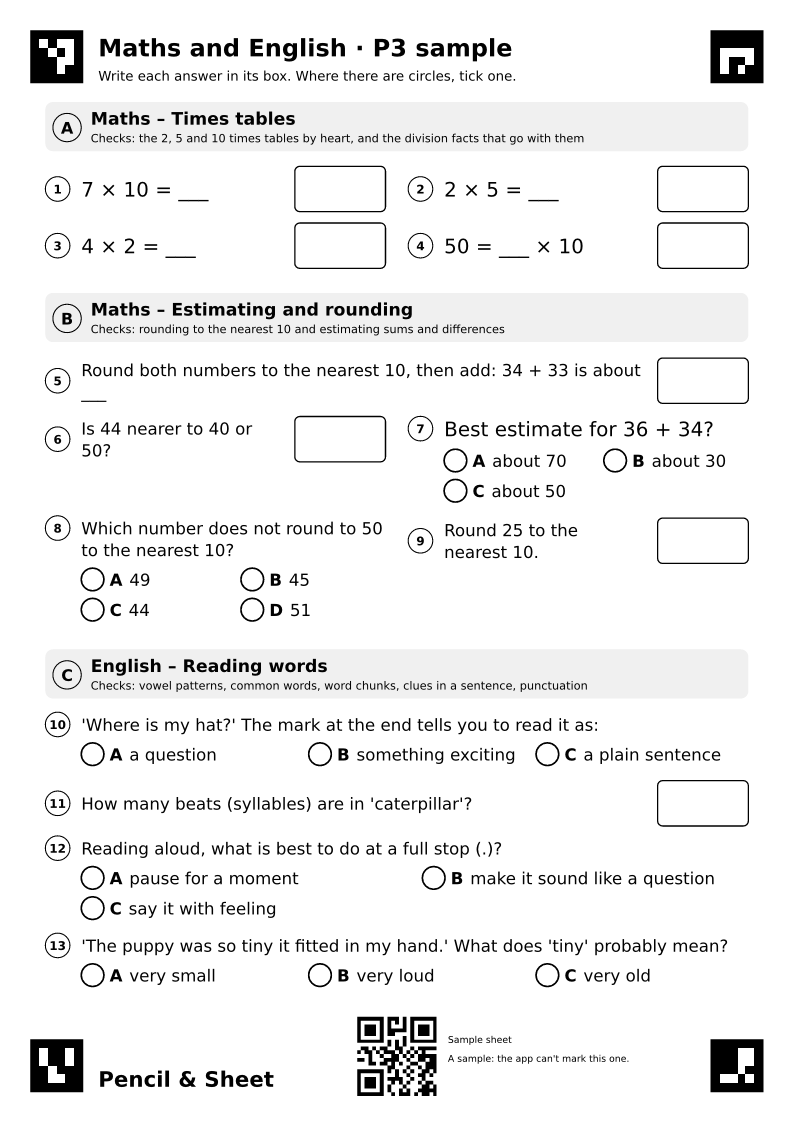 Primary 3 · ages 6 to 8
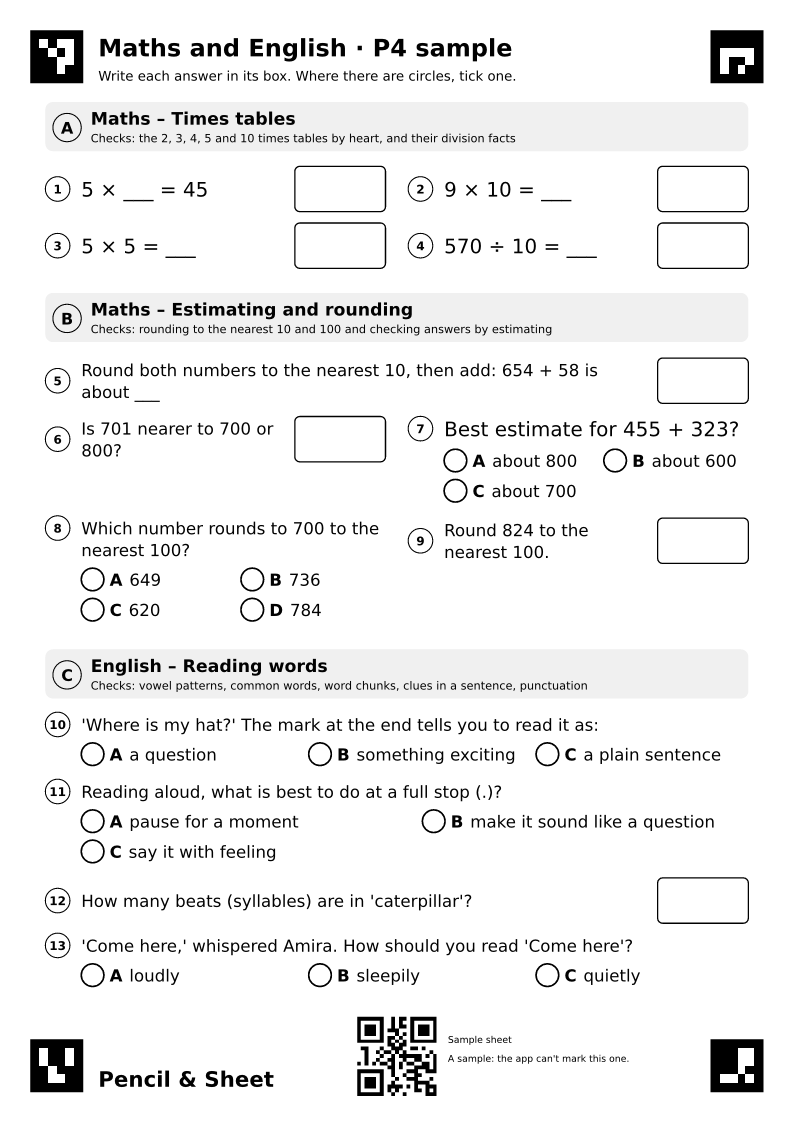 Primary 4 · ages 7 to 9
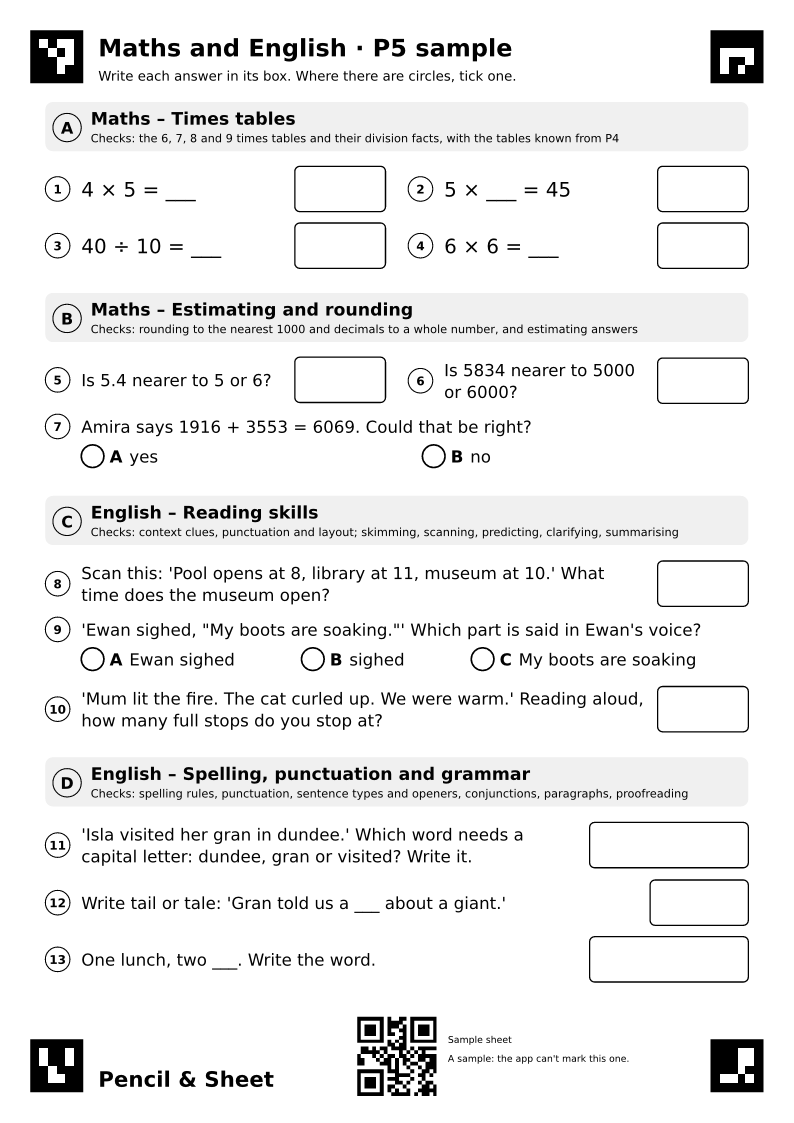 Primary 5 · ages 8 to 10
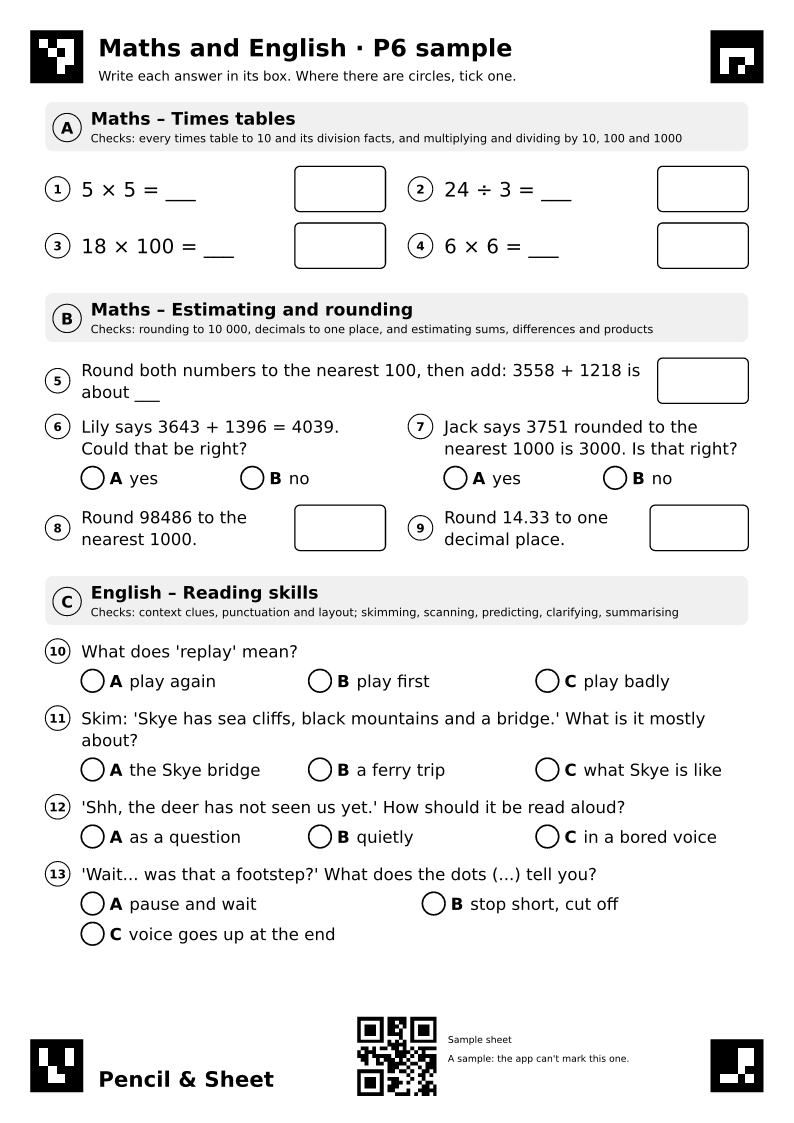 Primary 6 · ages 9 to 11
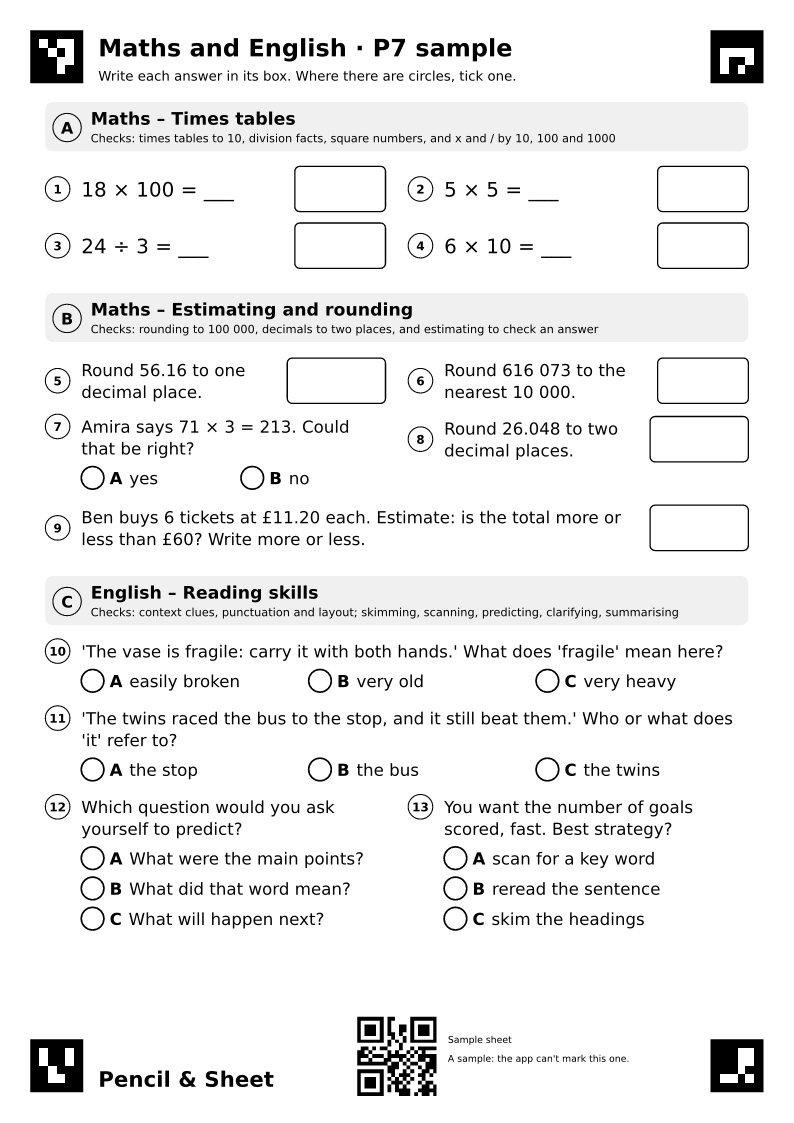 Primary 7 · ages 10 to 12
Primary 1
Usually ages 4 to 6. Maths and English on one A4 page, about 15 to 20 minutes with a pencil.
Answers
The app can't mark a sample: it marks the sheets it makes for your own child. Mark this one yourself from the answers.
Primary 2
Usually ages 5 to 7. Maths and English on one A4 page, about 15 to 20 minutes with a pencil.
Answers
The app can't mark a sample: it marks the sheets it makes for your own child. Mark this one yourself from the answers.
Primary 3
Usually ages 6 to 8. Maths and English on one A4 page, about 15 to 20 minutes with a pencil.
Answers
The app can't mark a sample: it marks the sheets it makes for your own child. Mark this one yourself from the answers.
Primary 4
Usually ages 7 to 9. Maths and English on one A4 page, about 15 to 20 minutes with a pencil.
Answers
The app can't mark a sample: it marks the sheets it makes for your own child. Mark this one yourself from the answers.
Primary 5
Usually ages 8 to 10. Maths and English on one A4 page, about 15 to 20 minutes with a pencil.
Answers
The app can't mark a sample: it marks the sheets it makes for your own child. Mark this one yourself from the answers.
Primary 6
Usually ages 9 to 11. Maths and English on one A4 page, about 15 to 20 minutes with a pencil.
Answers
The app can't mark a sample: it marks the sheets it makes for your own child. Mark this one yourself from the answers.
Primary 7
Usually ages 10 to 12. Maths and English on one A4 page, about 15 to 20 minutes with a pencil.
Answers
The app can't mark a sample: it marks the sheets it makes for your own child. Mark this one yourself from the answers.
Print on A4 at 100% (actual size) if your printer asks. A pencil is best; a dark pen works too. Where a question has circles, your child ticks the one beside their answer.
Questions parents ask
The short answers. Once you have the app, Help & feedback in the Account tab reaches the same team.
How do I print a sheet?
Tap Print on the Today tab. Each sheet is one A4 page: print at 100% (actual size) if your printer asks, and black and white is fine.
Keep the four black corner squares and the QR code at the top clear: they tell the app which sheet it is and which child it belongs to. Printing a week of sheets on Sunday is fine; scan them whenever they are done, in any order.
How do I take a good photo?
- Lay the finished sheet flat, in good, even light, with no shadow from your hand or the phone.
- Tap Scan and hold the phone above the sheet so all four corner squares sit inside the guides.
- When the guides turn green, take the photo.
The sheet doesn't need to be perfectly straight. If the app says the whole sheet wasn't in the photo, move back a little. Photographed someone else's sheet by mistake? The app notices from the QR code, doesn't keep the photo, and tells you.
What if the app can't read my child's writing?
It shows you those boxes and asks what they say. A couple of taps, and nobody is marked wrong for messy handwriting. Young children often write digits and letters back to front: a backwards 3 or 7 still counts as right.
What happens to blank answers?
A blank box counts as not done. If the last few questions are blank, the app takes it that your child ran out of time rather than got them wrong, and doesn't make the next sheet easier because of it.
On a very busy day marking may pause for a while. The sheet is saved and marked by the next morning at the latest; you don't need to scan it again.
I think a mark is wrong
Open the marked sheet and tap Report an issue. The team sees the photo and the marks and replies to you in the app, within one working day.
How do the levels work?
Questions come at three levels, easy, medium and hard, set separately for maths and English. After three strong sheets in a row the level goes up, at most once a week. After two difficult ones it steps back down. Progress says in plain words why it last changed.
Each outcome their class is taught is shown as not started, just started, needs practice, getting there or secure. "Needs practice" keeps coming back with easier questions until it clicks; "secure" comes back now and then as revision.
What are the badges?
Six, each with a certificate to print: First sheet, Ten in a row (rest days and holidays don't break the run), Back on it (after a week or more away), Breakthrough (something hard became something they can do), Skill mastered and A term of work (fifty sheets). They celebrate effort and your child's own improvement, never a comparison with other children.
What do you keep about my child?
A first name and a school year, their sheets, a photo of each finished one and the marks. Photos are deleted automatically after 90 days; the marks are kept so progress still makes sense. Only the small answer boxes go to our marking provider, never the whole photo, and nobody may use children's work to train AI.
Only you, any parent or carer you share a child with, and the support team when helping you can see your child's work. Account → Download my data gives you a copy of everything. Account → Delete account removes it, or use the account deletion page.
Can't find it? Get in touch and we'll reply within one working day.
Get in touch
Questions, problems or ideas: we reply within one working day, Monday to Friday.
From the app
Open Help & feedback in the Account tab. The team sees your sheets and marks, so it is the quickest way to sort a marking question.
Replies arrive in the app and by email.
Start your journey
Download the app, add your child and print their first sheet today. Fifteen minutes at the kitchen table, and you will see how it went before bedtime.
Not ready to install? Print a sample sheet now. You need an Android phone or an iPhone, an A4 printer, a pencil and 15 to 20 minutes a day.